Protocol Editor
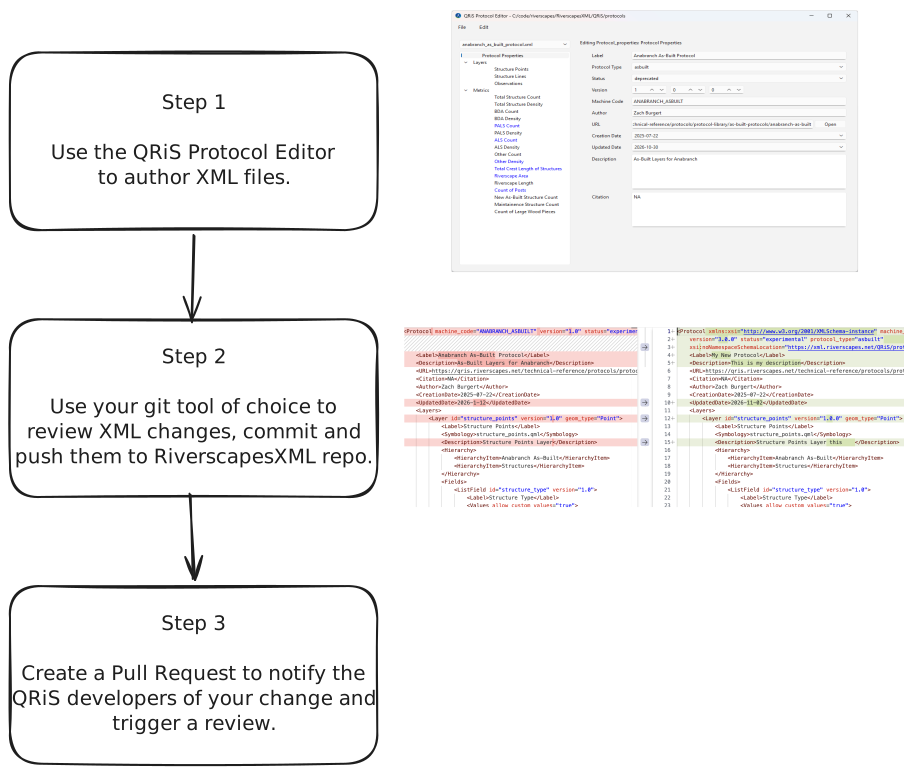
The QRiS Protocol Editor is a graphical interface for editing QRiS protocol XML files. Its goal is to make authoring QRiS Protocol XML easier by reducing the need to learn the full XML specification. The software doesn't completely remove the need to understand the XML syntax — users must still review the XML they commit and push to GitHub. However, it helps avoid common mistakes and eliminates the need to remember every XML option.
How It Works
Clone the RiverscapesXML GitHub repository to your local computer, then launch the Protocol Editor and point it to the QRiS/protocols subfolder inside that repository. The software lets you pick an individual protocol XML file to edit and save your changes. Finally, review and commit your changes before creating a pull request for the QRiS development team to review.
Installation
The QRiS Protocol Editor is distributed as a single executable for Windows. Download the file and place it anywhere on your computer — no installation is required. Double-click it in Windows Explorer to run the software. (MacOS or Linux users should contact the QRiS development team for a deployment.)
Latest QRiS Protocol Editor Release
Using the Software
When the software first opens, you'll see a file browser window for selecting the folder where you cloned the RiverscapesXML GitHub repository onto your computer. Pick the QRiS/protocols folder inside this local repo. The software will automatically look for the protocol.xsd rule file in the parent folder. Alternatively, you can browse and select a different XSD file if you are developing or testing other versions of this file.
Main Window
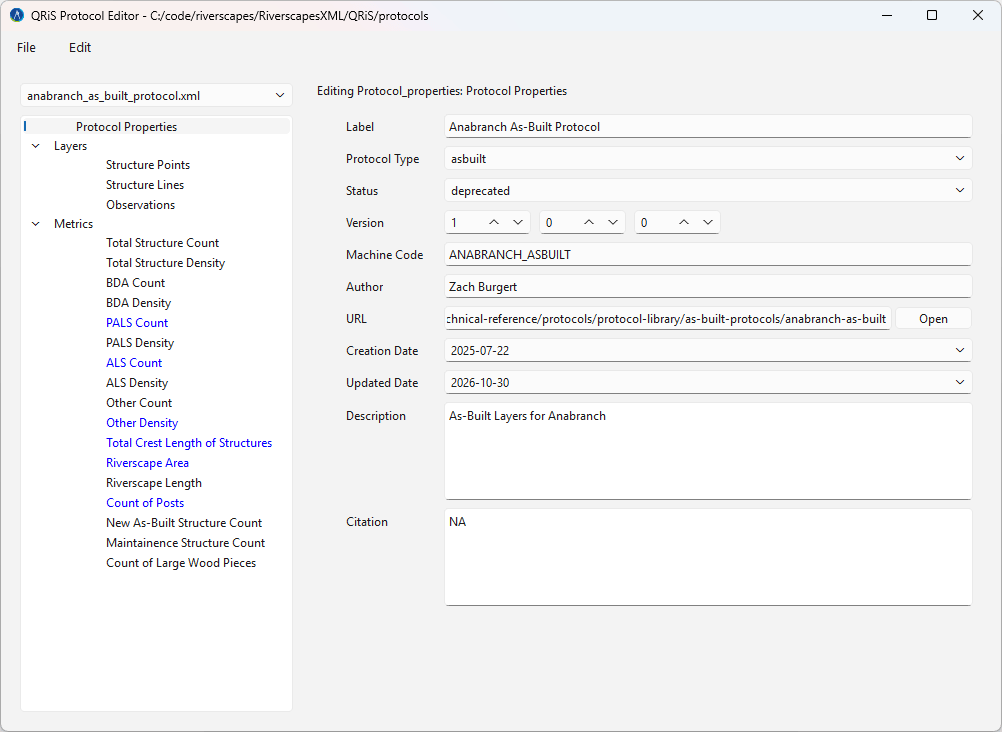
The main window lets you pick which protocol to edit using the dropdown in the top-left corner. You can then edit the layers and metrics within the selected protocol by clicking an item in the tree on the left. Properties are displayed and edited on the right. Changes are saved to the XML file automatically whenever you move focus between controls. The XML is validated with each change, and warnings prevent you from proceeding until any problems are resolved.
Reviewing and Saving Changes
The QRiS Protocol Editor is designed to help you produce QRiS protocols, but it's vital that you review the XML it generates before committing and pushing your local copy of the RiverscapesXML repository to GitHub. Use a visual diff tool such as GitKraken or GitGraph in Visual Studio Code. Commit and push your changes to trigger automated checks that validate the protocol XML files. Then create a pull request to initiate a review by the QRiS development team, who will integrate your changes once their final review is complete.