Integration between QRiS and ArcGIS Online
Part 1 - Creating QRiS Protocol Layers in ArcGIS Online (AGOL)
This tutorial will show you how to create QRiS protocol layers in AGOL. This can be done for any Data Capture Event (DCE), deisgn, or as-built protocol. Once created, you can use these layers in AGOL applications such as Field Maps to collect offline data or upload to Dashboards, Experience Builder, etc. for enhanced presentation.
Part 2 - Importing QRiS Protocol Layers into AGOL
This second tutorial will show you how to import digitized data from QRiS into ArcGIS Online. Once imported, you can use these layers in AGOL applications such as Dashboards, Experience Builder, or Story Maps for better visualization and presentation or to edit & collect offline data in Field Maps.
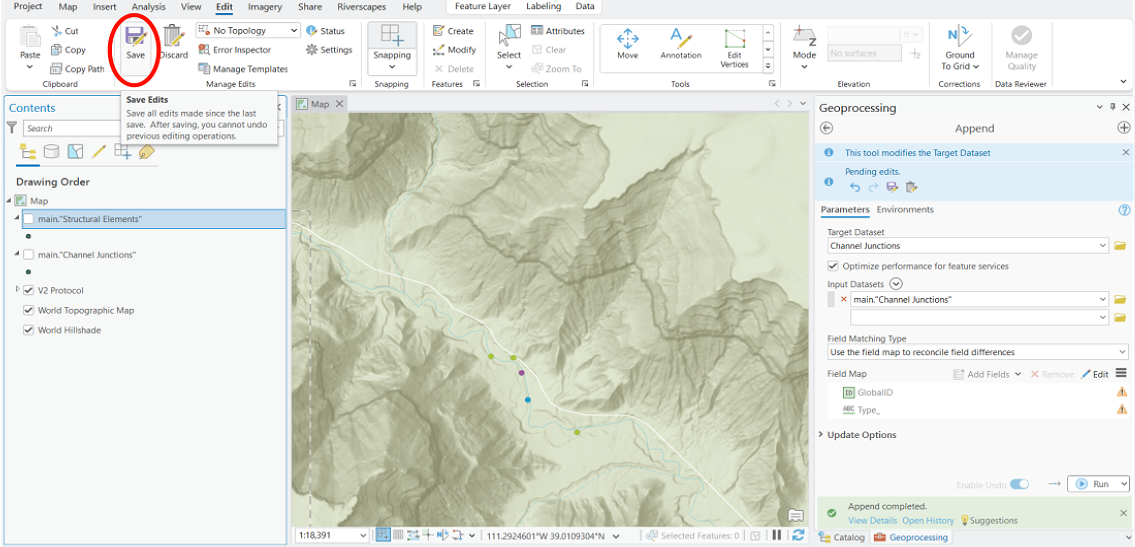
I forgot to mention to save your edits after you have imported the data into AGOL from the geopackage. If you forget to save, you will lose your data and have to start over.
Part 3 - Importing ArcGIS Protocol Layers into QRiS
Will be uploaded after the import tool in QRiS is fixed.