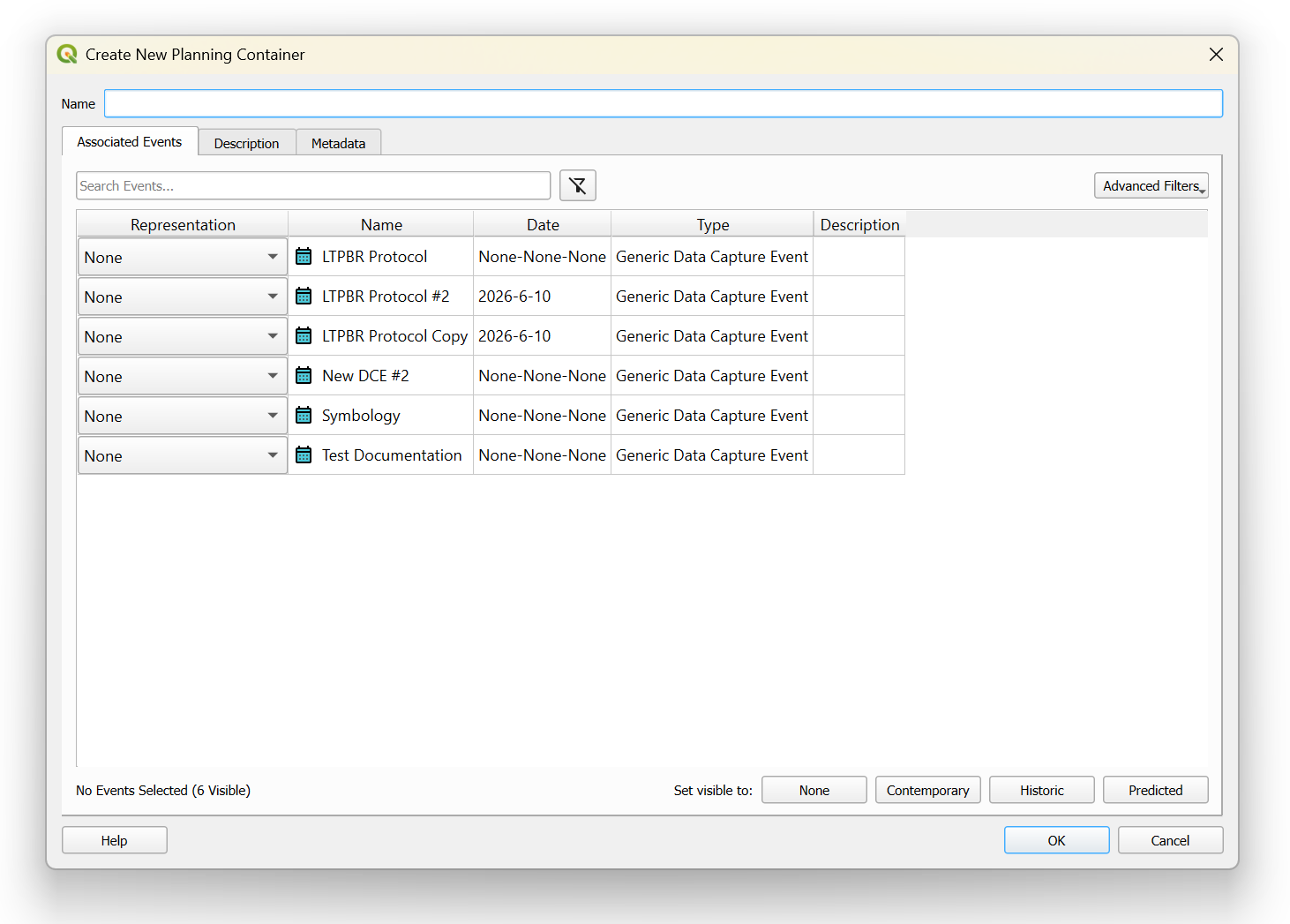
Planning Containers
Planning Containers are special containers used to define the baseline conditons of your riverscape from any Data Capture Event, Design, or As-Built. Planning Containers can be added in QRiS by right clicking on the Data Capture Events bin, selecting Low-Tech Process-Based Restoration, and clicking on Add New Planning Container.
Once added, the UI will show all DCEs within the QRiS project, allowing you to associate one or multiple DCE(s), design(s), or as-built(s) as the Historical, Contemporary, or Predicted conditions of the riverscape. In the bottom right hand corner, you can set all visible DCEs to be one single representation using the Set visible to option. Under Advanced Filters, users can filter and display DCEs by their associated representation type.
Finally, you can add descriptive narrative or metadata associated with the Planning Container under the Description and Metadata tabs respectively.